
See if you followed your plan, not just if you made money.
Import your ATAS trades and see each day for what it was: what you did, and how well you stuck to your own rules.
Get ZenkZenk Complete · $29.99/month
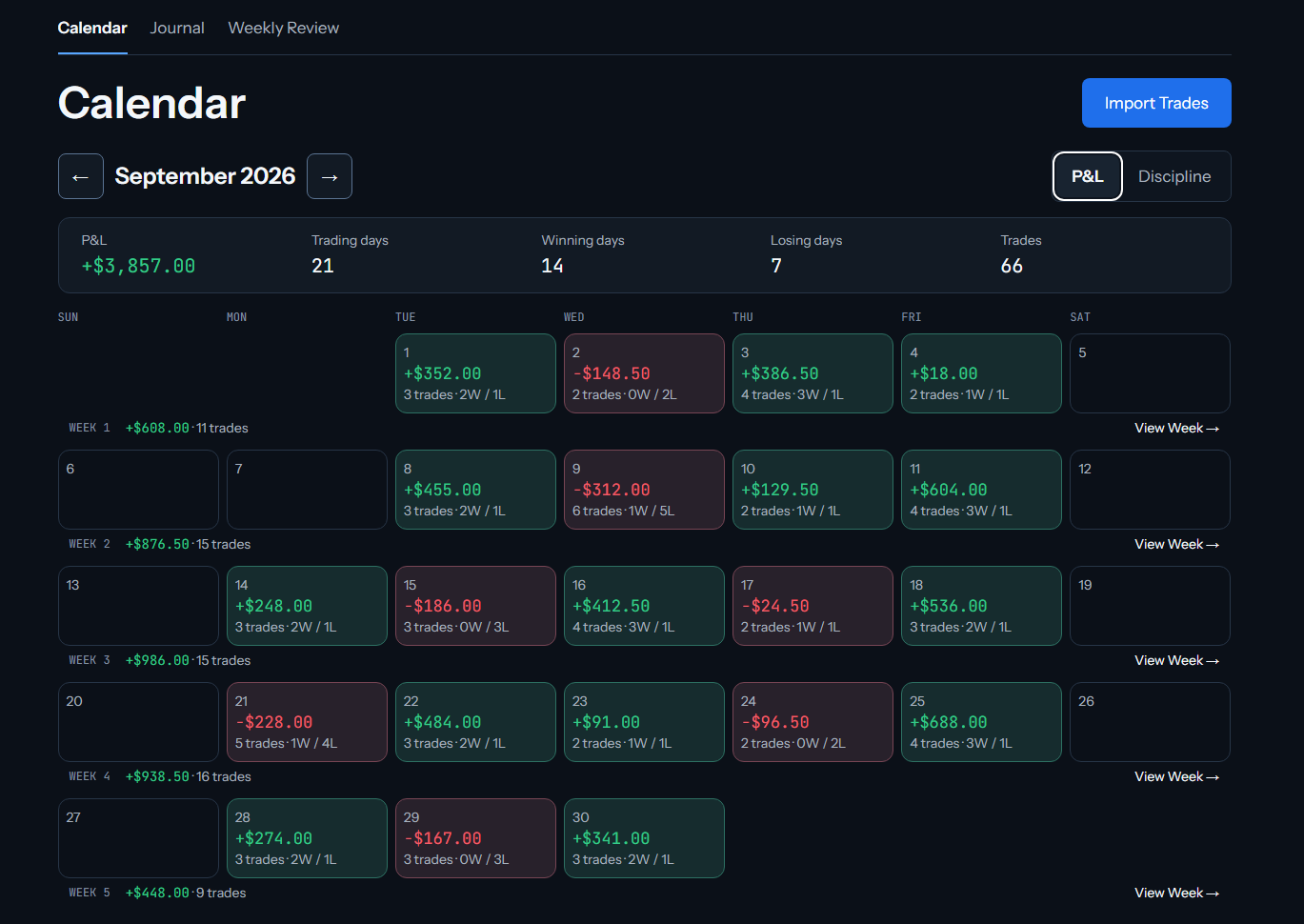
Why the Journal Exists
A green day can hide broken rules.
A red day can still be a disciplined day.
The Journal helps you see the difference.
What It Looks Like
Calendar. See your trading month, then switch to the Discipline view.
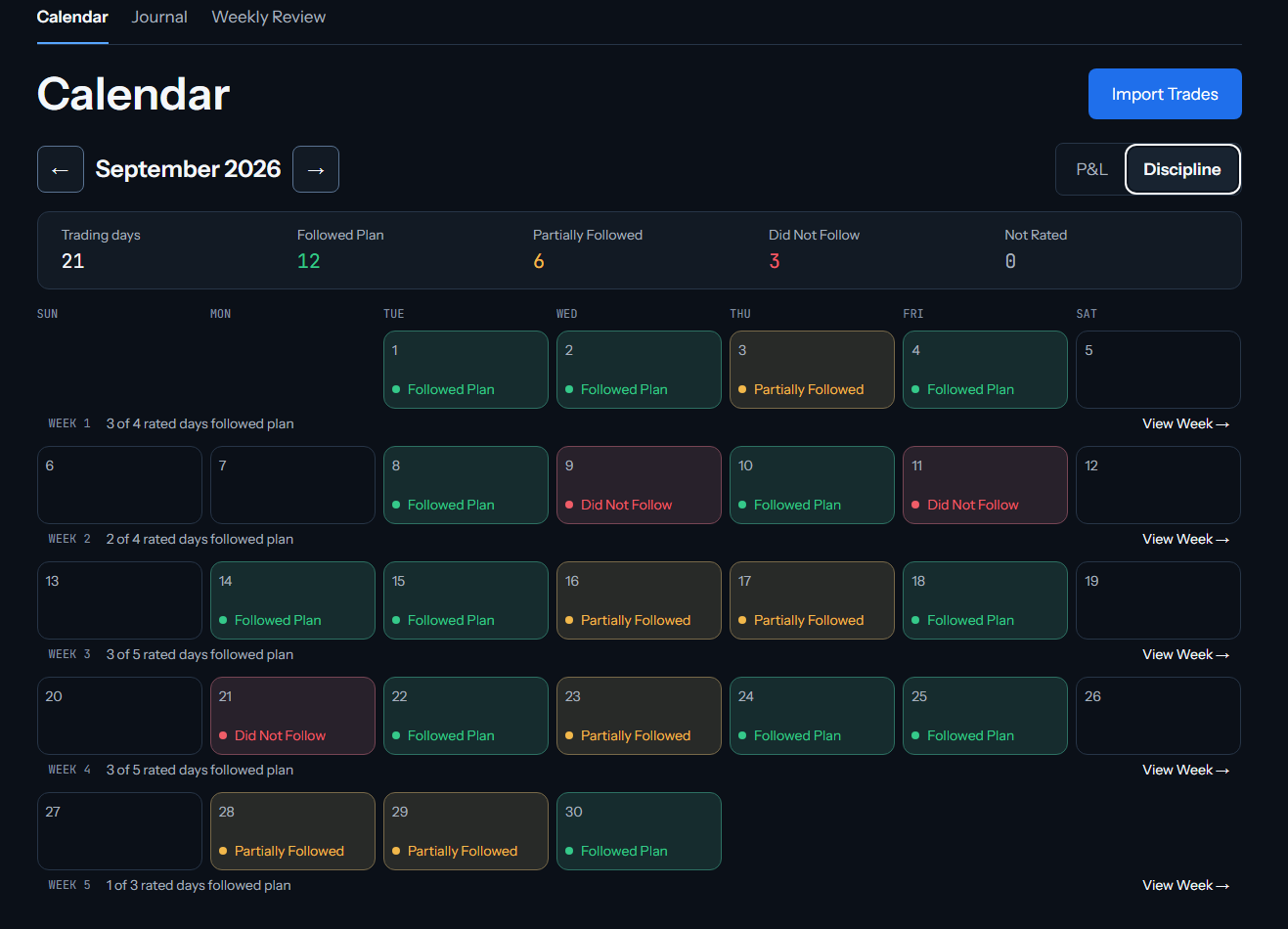
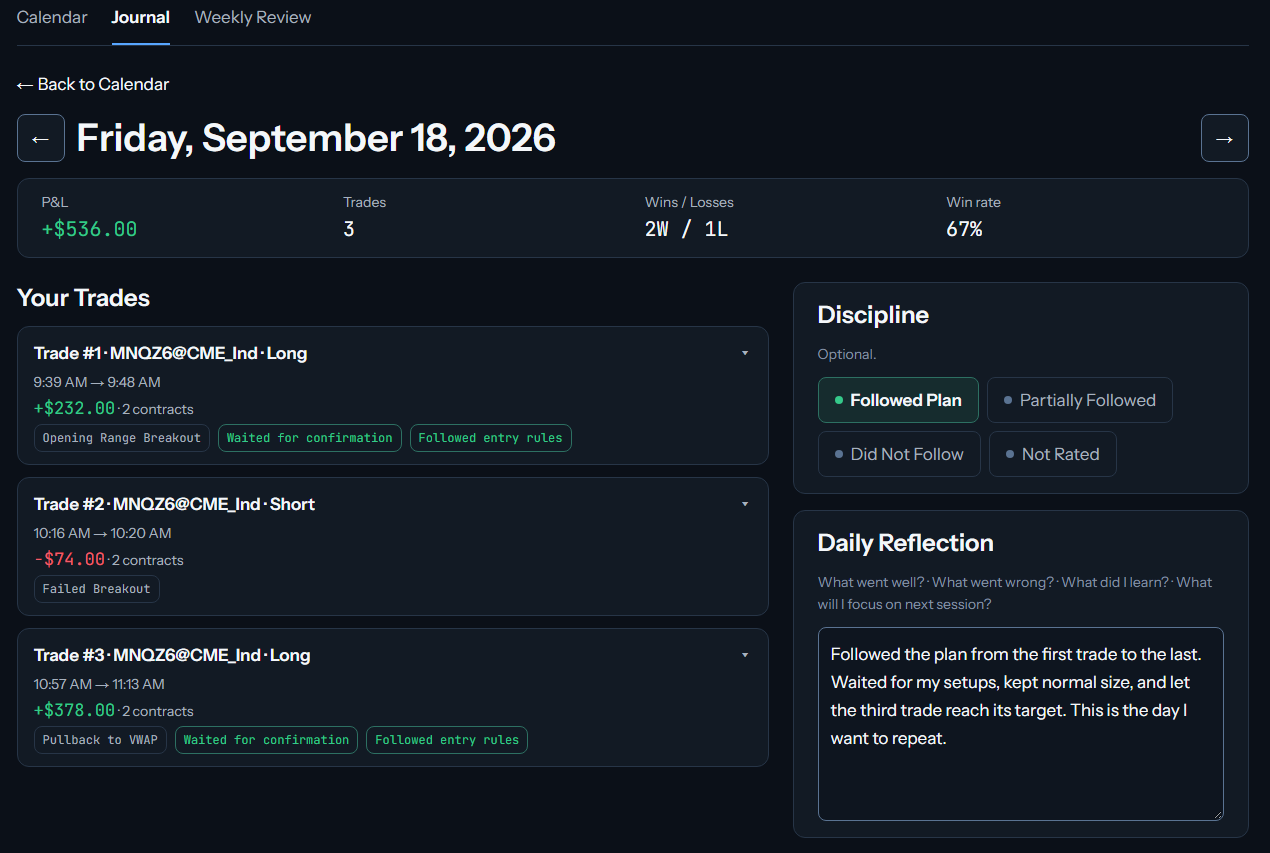
Daily Journal. Review your trades, add notes, tags and screenshots, and rate your discipline.
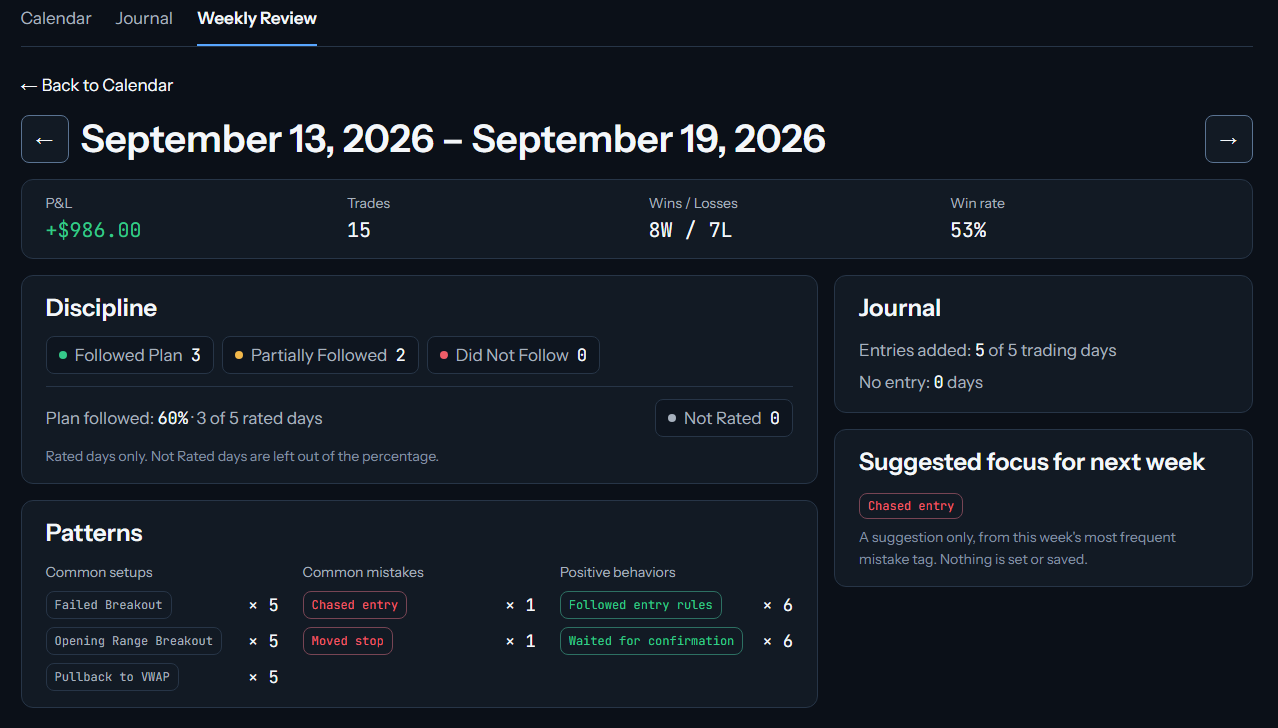
Weekly Review. See the week together, and the behaviour that keeps repeating.
Example Journal month.
How Your Trades Get In
Export your trades from ATAS and upload the exported file to Zenk.
Your trades appear in the Calendar and Journal.
What Zenk Complete Includes
- Zenk Risk
- Zenk Guard
- Calendar
- Daily Journal
- Weekly Review
Zenk Complete · $29.99/month
The Calendar and Journal run in your Zenk account on the website. Trades are imported from ATAS; there is no automatic connection.